Softonic review

Dinkar Kamat

Updated 4 months ago

Your user-friendly photo editing companion

Adobe Photoshop Express for Windows 10 is a free and lightweight photo editing application designed for beginners and casual users seeking to enhance their images without a steep learning curve. The straightforward interface and accessible tools make it easy to perform quick edits, allowing users to apply effects and adjustments with minimal effort. This application focuses on delivering essential features that streamline the editing process, making it a practical choice for users who want quick and reliable photo enhancements.

Streamlined editing made easy

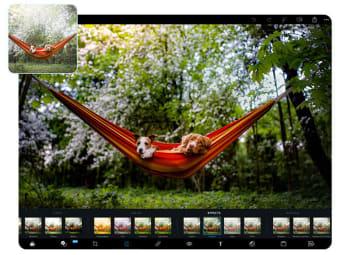
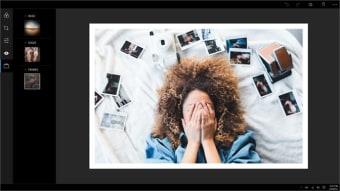
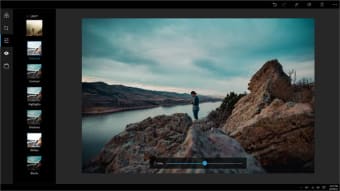
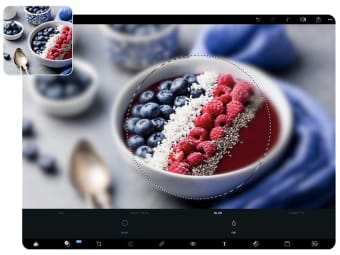
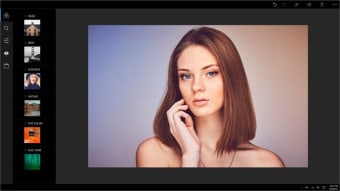
With preset filters known as Looks, users can quickly apply stylistic effects to photos. These Looks are organized into categories such as Black and White, Portrait, Nature, Pop Color, and Duo Tones, making it easier for users to choose the right effect for different styles and moods. Common enhancements like cropping, red-eye removal, and exposure adjustments are simplified through one-touch tools, ensuring fast and efficient editing sessions.

Impressive functionality without complexity

This application excels in basic functionalities while maintaining a lightweight design. It offers quick performance for edits, allowing users to make adjustments smoothly. Users can also customize effects by adjusting the intensity of filters with sliders for more precise results. The app includes more than 90 filters, along with over 30 borders and frames, giving users creative ways to personalize their images. While the core features are robust for casual editing, some advanced options require in-app purchases, which may be limiting for users seeking a broader range of tools.

Focused and effective for casual users

In summary, Adobe Photoshop Express for Windows 10 serves as a practical and straightforward photo editing tool, especially for beginners and casual users. Its ease of use and reliable performance make it suitable for quick adjustments and easy sharing. However, those needing more advanced features may want to consider alternatives that provide a broader toolkit.
Dinkar Kamat

Dinkar has more than 10 years of experience in content creation, including technical articles, travel writing, and product strategy. His expertise spans SEO, digital marketing, and structured editorial work. He focuses on producing content that is both accurate and accessible for diverse audiences.

  • Pros

    • User-friendly interface
    • One-touch photo adjustments
    • Variety of filters
  • Cons

    • Some filters require in-app purchases
 0/5

App specs

  • License

    Free

  • Version

    3.28.0.417

  • Latest update

  • Platform

    Windows

  • OS

    Windows 10

  • Language

    English

    Available languages

    • German
    • English
    • French
    • Polish
    • Italian
    • Turkish
    • Chinese
    • Spanish
    • Danish
    • Dutch
    • Portuguese
    • Korean
    • Japanese
  • Downloads

    5.1M

    Last month's downloads

    • 26.5K
  • Developer

Program available in other languages


User reviews about Adobe Photoshop Express for Windows 10

3.7

19 reviews

Add review

Main reviews for you

  • Anonymous user

    Adobe Photoshop allows you to change the background, draw a real picture or create an alternative view of the universe. It is the most widely used software tool for image editing, image editing and capture for numerous image and video file formats. Tools in Photoshop can handle both single images and large photos.

  • Anonymous user

    It is very good.I like Adobe photoshop.It is perfect to Windows 10.

  • Anonymous user

    Very helpfull software. thanks so much. I'm very happy this software.

  • Anonymous user

    My first time of trying it so i am so happy to use it for drawing so i can submit it to my art section

  • Anonymous user

    Yes. because it help us in editing/beautifying our works. it uses many expert ideas

  • Anonymous user

    I think it good for me. Adobe Photoshop Express can help me to do my work.

More

You may also like

Explore Apps

Related Articles

Latest articles

Laws concerning the use of this software vary from country to country. We do not encourage or condone the use of this program if it is in violation of these laws. Softonic may receive a referral fee if you click or buy any of the products featured here.