
3.7
Free
Pixlr-o-matic
Pixlr-o-matic: Transforming photos with creative magic

Adobe Photoshop Express for Windows 10 free download
View an ad to download for free
What will happen when you click Free Download?
Free
3.28.0.417
Windows
Windows 10
English
5.1M

A Feature-Packed Photo Editing Software for Professionals

AI-powered portrait editing made simple and fast
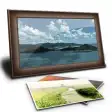
A Slide Show allowing you to view pictures wrapped around geometric shapes that rotate and move various ways. Multiple pictu

Organize your photos like a professional

A tool for scanning via Canon devices

Resize in seconds

Free software to convert images into PDF files

A free program for Windows, by Pintosoft
Free
Pixlr-o-matic: Transforming photos with creative magic

Trial version
Professional photo editing standard

Trial version
A reliable and familiar operating system

Free
Remotely access another computer

Free
Free update for Photoshop CS6 users

Free
PhotoScape: An intuitive image editing tool
Available for both mobile and desktop, Photoshop Express is an image-editing program that allows users to enhance and share photos. The Windows 10 compatible version is currently available as an app on the Microsoft Store.
While Photoshop Express is a free app, it also has premium features available for purchase. These paid features include additional Looks, which are preset adjustments for photos. Users are able to preview the results of premium Looks; however, the results cannot be saved or printed unless the user has purchased the Look.
Using Photoshop Express, users can perform basic image enhancements, including modifying contrast, exposure, vibrance and tint. Alternatively, users can apply presets – called Looks – to give their image a stylised appearance. The program also allows users to crop, remove red eye, reduce noise and export images.
No, while they share the Photoshop name, the programs are significantly different. Adobe Photoshop is an image-editing program with an extensive feature list and customisable controls. In comparison, Photoshop Express offers fewer features and has beginner-friendly controls.
No, Photoshop Express is a streamlined image-editing program focused on photo enhancement and ease of use; therefore, it does not have more advanced features such as layers. If you need the functionality associated with layers, consider using another Adobe product or a free alternative.
The desktop edition of Photoshop Express does not have the ability to change an image’s resolution – the program cannot increase or reduce the number of pixels in an image through resampling. Users can, however, crop images by selecting the Crop icon in the lower-left corner of the program’s interface. A change of aspect ratio can then be achieved by manually cropping the image or selecting one of the preset dimensions.
No, the program cannot open PSD files. While it shares a name with Photoshop, Photoshop Express does not support file structures associated with the flagship program. If you would like to use a PSD file in Express, you have to first save it as an image format that Photoshop Express will recognise, such as JPEG or PNG.
The desktop version of Photoshop Express does not currently support camera raw files. If you would like to edit raw files, consider using the mobile version of Photoshop Express or another program that recognises raw file formats.
Yes, you can print directly from Photoshop Express. After editing your image, click on the options button at the top-left corner of the app interface. From there, click on Print, select your printer and click the Print button.
There are no tools that allow for drawing in Photoshop Express; image adjustments are made primarily through adjusting sliders or applying presets.

Free camera app for Windows

Scriptable Java app for scientific image processing
A tool for scanning via Canon devices
A free photo-printing software

This app offers a comprehensive drawing solution
Free image viewer and editor
Transform Real-World Objects with Autodesk ReCap Pro

View images in a folder or play a slideshow. Simple with Image Viewer.
.png)
A full photography program

Create quality JPEG images fast with ease.

Effortless Photo Printing with ACDSee Fotoslate

Effortless File Conversion with MDI2PDF Converter